แทรกสัญลักษณ์ลิขสิทธิ์ เครื่องหมายการค้า และเครื่องหมายการค้าจดทะเบียน
2 นาที
คุณสามารถเพิ่ม ©, ®, และ ™ โดยใช้ปุ่มลัดบนคีย์บอร์ด ใช้ได้ทั้ง Windows และ macOS
แทรกสัญลักษณ์ลิขสิทธิ์และเครื่องหมายการค้าสำหรับ Windows:
- เพื่อแทรกสัญลักษณ์ ลิขสิทธิ์ (©) ให้กด Ctrl+Alt+C
- เพื่อแทรกสัญลักษณ์ เครื่องหมายการค้า (™) ให้กด Ctrl+Alt+T
- เพื่อแทรกสัญลักษณ์ เครื่องหมายการค้าจดทะเบียน (®) ให้กด Ctrl+Alt+R
นี่คือวิธีพิมพ์สัญลักษณ์ลิขสิทธิ์ เครื่องหมายการค้าจดทะเบียน และเครื่องหมายการค้าใน macOS:
- Copyright (©): Option + G
- Trademark (™): Option + 2 (or Option + Shift + 2)
- Registered Trademark(®): Option + R
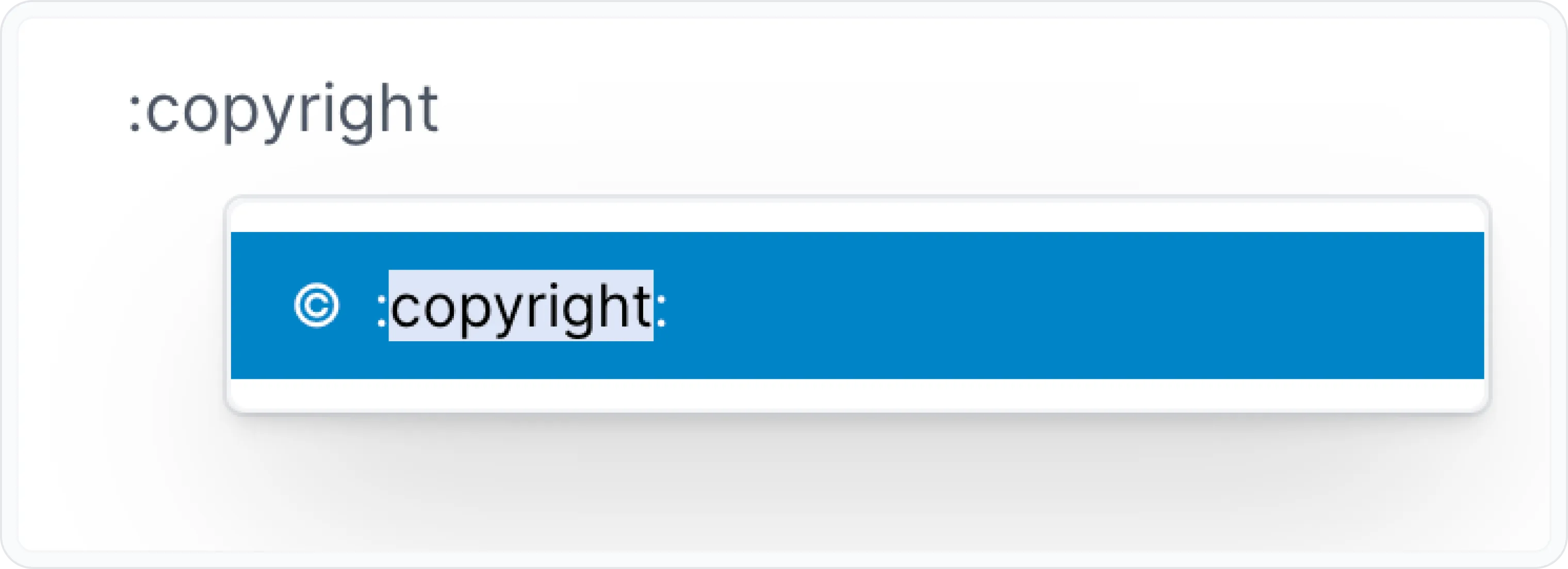
You can also add inline emojis using the Archbee shortcuts : + copyright .
This will open a pop-up where you can search for emojis. Next you can type the keywords: copyright ©️, registered ®️, and trademark ™️.
Have a question?
Our super-smart AI, knowledgeable support team and an awesome community will get you an answer in a flash.
To ask a question or participate in discussions, you'll need to authenticate first.