วิธีปรับแต่งเทมเพลตของ Archbee ด้วย CSS
1 นาที
CSS แบบกำหนดเองCSS แบบกำหนดเอง เป็นตัวเลือกหนึ่งจาก โค้ดกำหนดเองโค้ดแบบกำหนดเอง ซึ่งเป็นฟีเจอร์ที่อนุญาตให้ผู้ใช้ปรับแต่งสไตล์ของเทมเพลตได้
คุณสามารถปรับแต่งองค์ประกอบ HTML ต่อไปนี้ที่มีคลาสขึ้นต้นด้วย ab-:
.ab-callout { }
.ab-changeloc { }
.ab-code-editor { }
.ab-minitasker { }
.ab-graphiql { }
.ab-horizontal-divider { }
.ab-jira { }
.ab-map { }
.ab-mermaid { }
.ab-openapi { }
.ab-vertical-split { }
.ab-vertical-split-item { }
.ab-video { }
.ab-checklist { }
.ab-blockquote { }
.ab-diagram { }
.ab-embed { }
.ab-file { }
.ab-iframe { }
.ab-html { }
.ab-image { }
.ab-ul-list { }
.ab-ol-list { }
.ab-list-item { }
.ab-list-item-child { }
.ab-table { }
.ab-space { }
.ab-collection { }
.ab-space-container { }
.ab-collection-container { }
.ab-top-navbar { }
.ab-search-input { }
.ab-public-search { }
.ab-space-content { }
.ab-collection-content { }
.ab-tree-navigation { }
.ab-tree-navigation-link { }
.ab-tree-navigation-link-inactive { }
.ab-doc-name { }
.ab-h1 { }
.ab-h2 { }
.ab-h3 { }
.ab-expandable-heading { }
.ab-link { }
.ab-link-dynamic { }
.ab-nav-right { }
.ab-nav-right-text { }
.ab-bold { }
.ab-code { }
.ab-paragraph { }
.ab-footer-container { }
เมื่อทำการเพิ่ม CSS, โปรดใช้แท็ก <style> ในช่อง Customs CSS ตามตัวอย่างด้านล่าง:
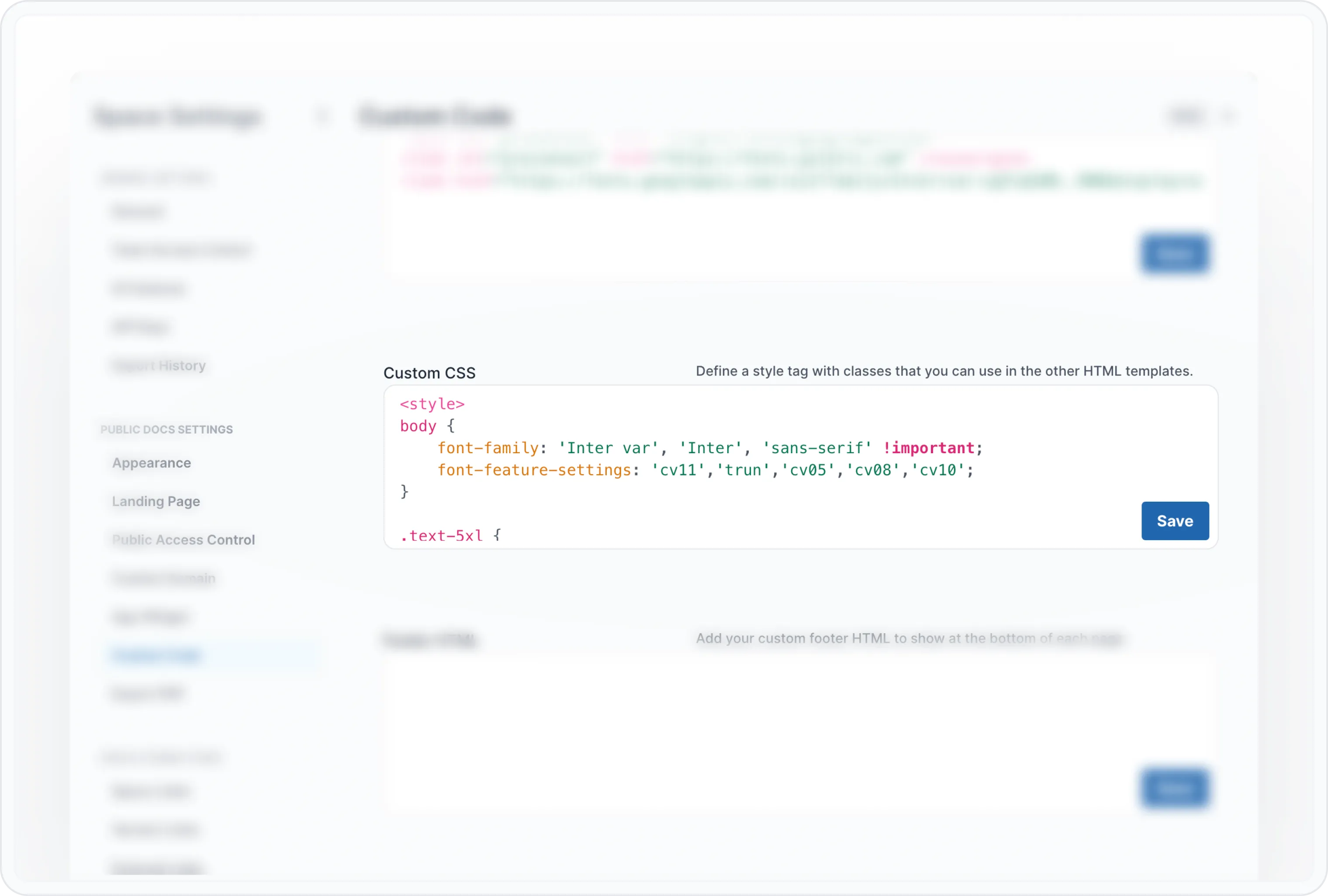
ส่วน Custom CSS
Have a question?
Our super-smart AI, knowledgeable support team and an awesome community will get you an answer in a flash.
To ask a question or participate in discussions, you'll need to authenticate first.