Vertical Split
It splits your content into two side-by-side columns, giving you the flexibility to present information in a visually engaging way. It's like having two canvases to work with, side by side.
When to use it
- Compare and contrastShowcase similarities and differences between two topics or products.
- Create side-by-side content Display related information together, such as features and benefits.
- Improve readabilityBreak up long sections of text with visual elements.
- Showcase multiple examplesPresent different options or variations side by side.
How to Use the Vertical Split Block
Type / to open Archbee block menu
Search for Vertical Split block and click to insert insert
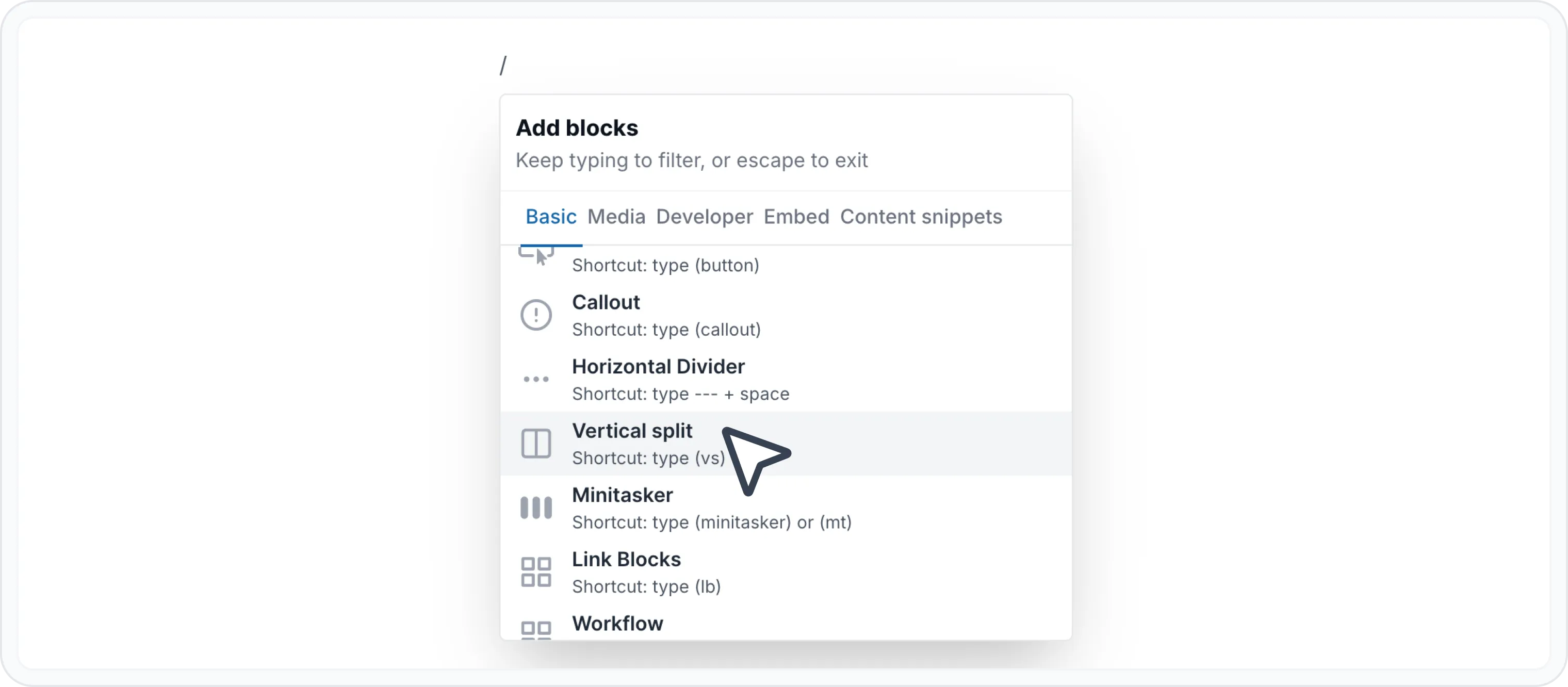
Choose the width proportions form upper right corner. You have 3 options:
- 30/70 split
- 50/50 split
- 70/30 split

Feel free to add your content. You can style the content however you like using the WYSIWYG Menu or even insert other blocks, like:
Examples
Compare plans — Clearly outline the features, pricing, and benefits of different plans in a side-by-side comparison.

Standard features to manage and distribute documentation.
Unlimited readers Unlimited project spaces Public or private portals Custom domain & branding Custom JavaScript Password protection

Advanced features and full branding for scaling documentation.
Everything in Growing Complete branding control Review system Reusable content & variables Versioning & localization Advanced team access control Advanced reader access control
Check more details on https://www.archbee.com/pricing page.


🧠 Remember
The key to effective use of a vertical split is balance. Ensure the content in each column complements the other and contributes to the overall message of your document.
Experiment with different content combinations to find what works best for your audience.
Find other blocks
Discover new ways and blocks to create stunning and functional documentation pages.
Need help? ⬇️
Use the blue chat bubble from bottom right corner.
Or try AI Chat (from search box) for quick answers.
Your opinion matters
Use the below feedback form, anonymously.
Or ask a question in Q&A section and our team or AI will give you a solution.