Tabs
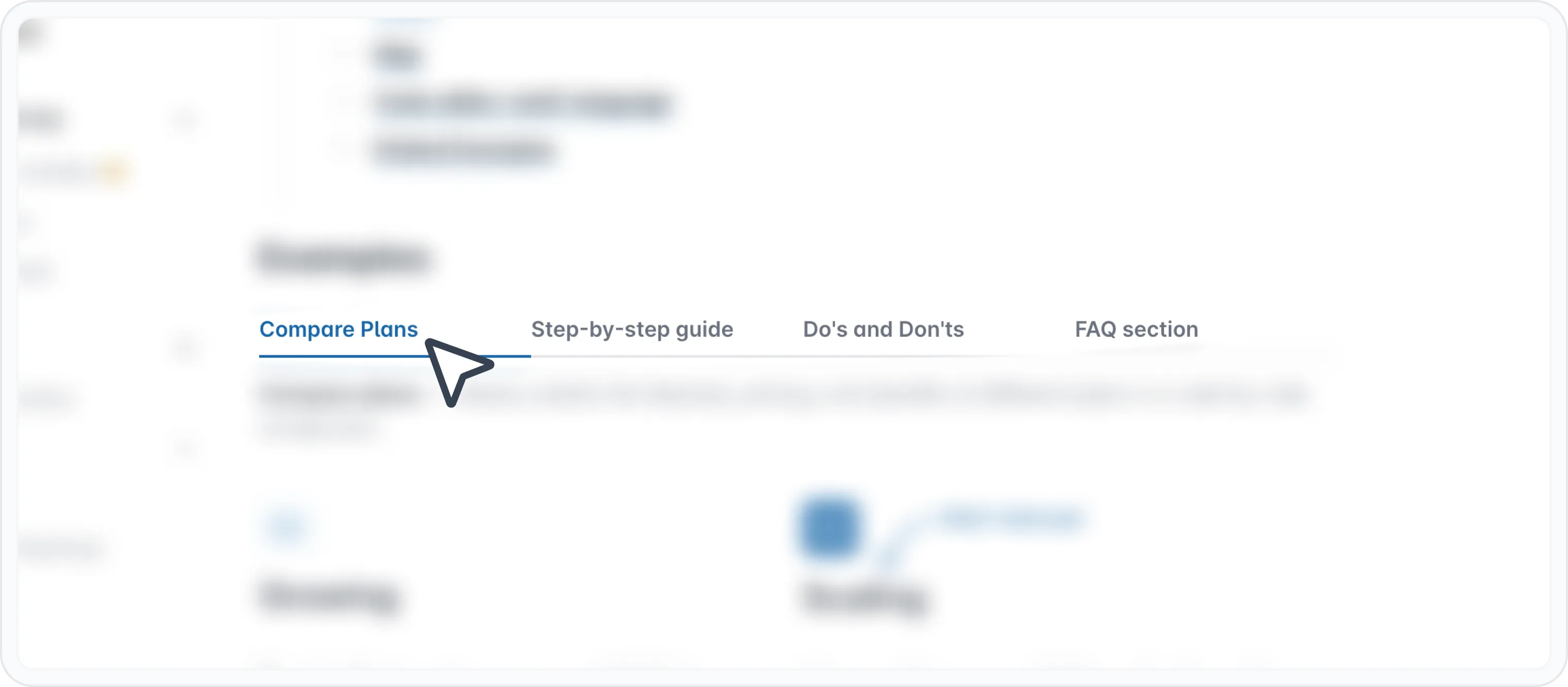
Tabs ist ein Block, mit dem Sie Inhalte innerhalb eines einzelnen Dokuments in mehrere Abschnitte organisieren können. Es funktioniert wie ein Satz von Tabs, auf die Sie klicken können, um unterschiedliche Informationen anzuzeigen. Stellen Sie es sich als eine Möglichkeit vor, mehrere Seiten innerhalb einer Seite zu erstellen.
Warum Sie es verwenden sollten
- Komplexe Inhalte organisieren
- Gruppieren Sie zusammengehörige Inhalte in separaten Tabs für eine bessere Struktur und Lesbarkeit.
- Lesbarkeit verbessern
- Machen Sie Ihre Inhalte einfacher zu navigieren und zu verstehen.
- Platz sparen
- Nutzen Sie den verfügbaren Platz effizient, indem Sie Inhalte nacheinander statt alle auf einmal anzeigen.
- Interaktive Erlebnisse erstellen Binden Sie Benutzer ein, indem Sie ihnen ermöglichen, aktiv die Informationen auszuwählen, die sie sehen möchten.
So verwenden Sie den Tabs-Block
Geben Sie / ein, um das Archbee-Blockmenü zu öffnen
Suchen Sie nach dem Registerkarten-Block und klicken Sie, um ihn einzufügen
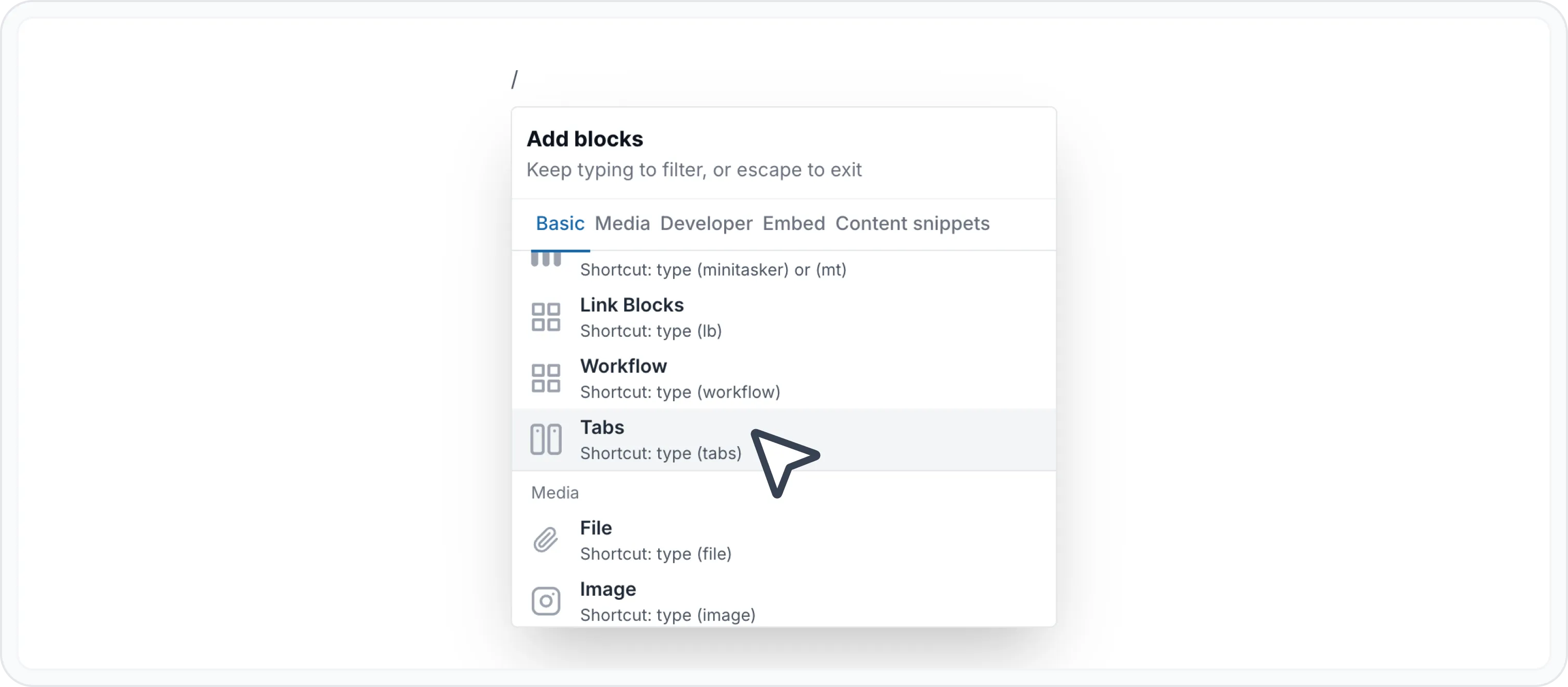
Passen Sie die Tabs und deren Namen an.
Standardmäßig wird der Block mit 2 Tabs namens "Tab Name" und "Second Tab Name" erstellt.
Um einen Tab umzubenennen, müssen Sie den Bearbeitungsmodus für Labels wie folgt öffnen:
- Doppelklicken Sie auf das Tab-Label
- Oder klicken Sie auf das Symbol "Edit label" ( )
Klicken Sie auf Speichern ( ), um das Label zu aktualisieren, oder auf Verwerfen ( ↩ ), um die Änderungen rückgängig zu machen.
Fügen Sie gerne Ihre Inhalte hinzu. Sie können die Inhalte mit dem WYSIWYG Menu beliebig gestalten oder sogar andere Blöcke einfügen, wie zum Beispiel:
Außerdem funktionieren die meisten unserer Integrationen innerhalb eines Tab-Blocks. Sie können Einbettungen aus anderen Tools wie Loom, Figma, Miro, Lucidcharts und mehr hinzufügen.
Weitere Informationen finden Sie auf der Seite Eingebettete Blöcke..
Markdown
So erstellen Sie mit Markdown-Code einen Tab in Ihrem Dokument:
Beginnen Sie mit der Zeile :::tabs.
Der Inhalt jedes Tabs steht zwischen den Markierungen :::tab und :::.
🚨 Achtung!
Ein Doppelpunkt : sollte in einem übergeordneten Markdown-Element platziert werden, um anzuzeigen, dass es ein anderes Markdown-Element einschließt.
In diesem Fall wird :::tabs zu ::::tabs .
Geben Sie jedem Tab mit geschweiften Klammern einen Titel, z. B. {title="Ihr Abschnittsname"}. Dies ist der Name, der in der Kopfzeile des Tabs angezeigt wird.
Platzieren Sie den gewünschten Inhalt für diesen Tab zwischen diesen Zeilen. Oben sehen Sie die zulässigen Blöcke, die innerhalb des Tab-Blocks verwendet werden können. Auf der Seite Markdown-Verknüpfungen verwenden erfahren Sie, wie Sie andere Blöcke mit Markdown verwenden.
Erstellen Sie beliebig viele Tabs und schließen Sie Ihren Tab-Block. Vergessen Sie nicht, für jede verschachtelte Ebene Spalten hinzuzufügen.
Unten sehen Sie ein Beispiel für einen Tab-Block mit Markdown.
## Tabs
:::::tabs
::::tab{title="Tab 1"}
Some content for Tab 1
:::hint{style="info"}
Pull requests are very welcome! Please see CONTRIBUTING.md for more information.
Tthis is really nice
:::
- [x] This is a checkbox list
- [x] This is a checkbox list
- [ ] This is done
- [ ] This is a checkbox list
::::
:::tab{title="Tab Photos"}

We would love you to contributeaaa
:::
:::::Hier ist das Ergebnis:
Fotos in Tabs
Wir würden uns freuen, wenn Sie beitragen
Alternativ können Sie diese Markdown-Variante verwenden, um einen Tabs-Block zu generieren.
{% tabs %}
{% tab title="tab 2" %}some tab fasdfasdfasdfasdfads {% endtab %}
{% tab title="tab 2" %}some tab fasdfasdfasdfasdfads {% endtab %}
{% tab title="tab 2" %}some tab fasdfasdfasdfasdfads {% endtab %}
{% tab title="tab 2" %}some tab fasdfasdfasdfasdfads
{% endtab %}
{% endtabs %}
Auf der Seite Markdown-Verknüpfungen verwenden finden Sie weitere Markdown-Verknüpfungen für andere Blöcke.
Beispiele
Siehe auf der Seite zur vertikalen Aufteilung, Beispielabschnitte.

Andere Blöcke finden
Entdecken Sie neue Möglichkeiten und Blöcke, um beeindruckende und funktionale Dokumentationsseiten zu erstellen.

Benötigen Sie Hilfe? ⬇️
Verwenden Sie die blaue Chat-Blase unten rechts.
Oder probieren Sie KI-Chat (im Suchfeld) für schnelle Antworten.

Ihre Meinung zählt
Verwenden Sie das untenstehende Feedback-Formular anonym.
Oder stellen Sie eine Frage im Q&A-Bereich und unser Team oder die AI wird Ihnen eine Lösung geben.