Custom Landing Page
คุณสามารถตั้งค่า HTML แบบกำหนดเอง เพื่อให้โหลดแทนเอกสารแรก ซึ่งเป็นตัวเลือกเริ่มต้นเมื่อไซต์เอกสารถูกโหลด
ในการเปลี่ยนตัวเลือกหน้าแลนดิ้ง ให้ทำตามขั้นตอนต่อไปนี้:
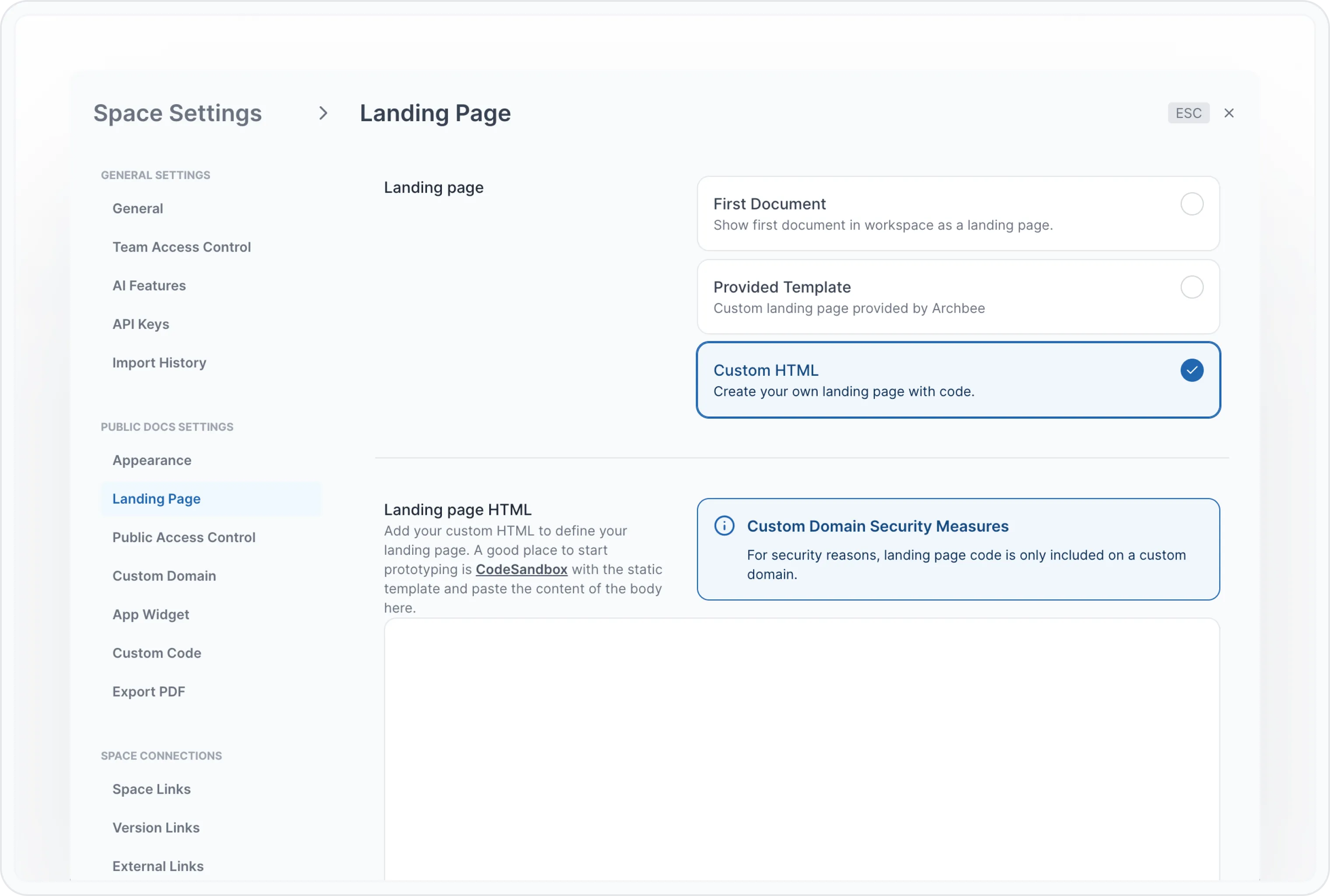
คลิกที่ Space ที่คุณต้องการเพิ่มหน้าแลนดิ้ง HTML แบบกำหนดเอง
มองหาไอคอนรูปเฟือง Settings ( ⚙️ ) แล้วคลิก
ในหน้าต่าง Space Settings ไปที่แท็บ Landing Page
เลือก Custom HTML
เพิ่ม โค้ด HTML ของคุณในช่อง Landing page HTML และกด Save. โปรดจำไว้ว่านี่คือไฟล์ index.html ของคุณ
Custom HTML รองรับ Handlebars และ Tailwind คุณสามารถแทรกตัวแปรบางอย่างในแม่แบบ HTML ได้
นี่คือตัวออบเจกต์ที่เราส่งไปยังเทมเพลต; คุณสามารถเรนเดอร์ตัวแปรใดๆ เหล่านี้ได้:
export interface PublicDocTreeResponse {
  id: string
  name: string
  icon: string
  urlKey: string
  expanded?: boolean
  isCategory?: boolean
  categoryName?: string
  isLink?: boolean
  linkTitle?: string
  linkHref?: string
  linkOpensInNewTab?: boolean
  parentDocId?: string

  rightDoc?: PublicDocTreeResponse
  leftDoc?: PublicDocTreeResponse
  children: PublicDocTreeResponse[]
}

export type PublicSpaceLink = {
  label: string
  docSpaceId: string
  icon?: string
  versionLinks?: PublicVersionLink[]
  hasVersionsWithoutLinks?: boolean
}

export type PublicVersionLink = {
  label: string
  docSpaceId: string
  forkedFrom: string
  language: string
  versionLinks?: PublicVersionLink[]
}

export type PublicExternalLink = {
  label: string
  url: string
}
นี่คือตัวอย่าง HTML สำหรับการเรนเดอร์ HTML แบบกำหนดเองในหน้าแลนดิ้ง:
<div class="flex flex-col justify-center items-center p-20">
  <div class="flex">
    <div class="font-semibold">publicLogoURL:</div>
    <img class="w-100" src="{{publicLogoURL}}" />
  </div>
  <div class="w-1/3">
    <h1 class="font-bold text-2xl">Props example</h1>

    <div class="flex">
      <div class="font-semibold">Id:</div>
      <div>{{ id }}</div>
    </div>

    <div class="flex">
      <div class="font-semibold">Name:</div>
      <div>{{ name }}</div>
    </div>

    <div class="flex">
      <div class="font-semibold">Icon:</div>
      <div>{{{ renderIcon icon }}}</div>
    </div>

    <div class="py-3">
      <p>Public Docs Tree:</p>
      <ol>
        {{#each publicDocsTree}}
        <li class="text-green-500">
          <a href="{{urlKey}}">
            <span class="font-semibold ">Name:</span>
            <span class="pl-3">{{name}}</span>
          </a>
          {{#if children}}
          <ul class="pl-4">
            {{#each children}}
            <li class="text-gray-500">
              <a href="{{urlKey}}">
                <span class="font-semibold ">Name:</span>
                <span class="pl-3">{{name}}</span>
              </a>
            </li>
            {{/each}}
          </ul>
          {{/if}}
        </li>
        {{/each}}
      </ol>
    </div>
  </div>
</div>
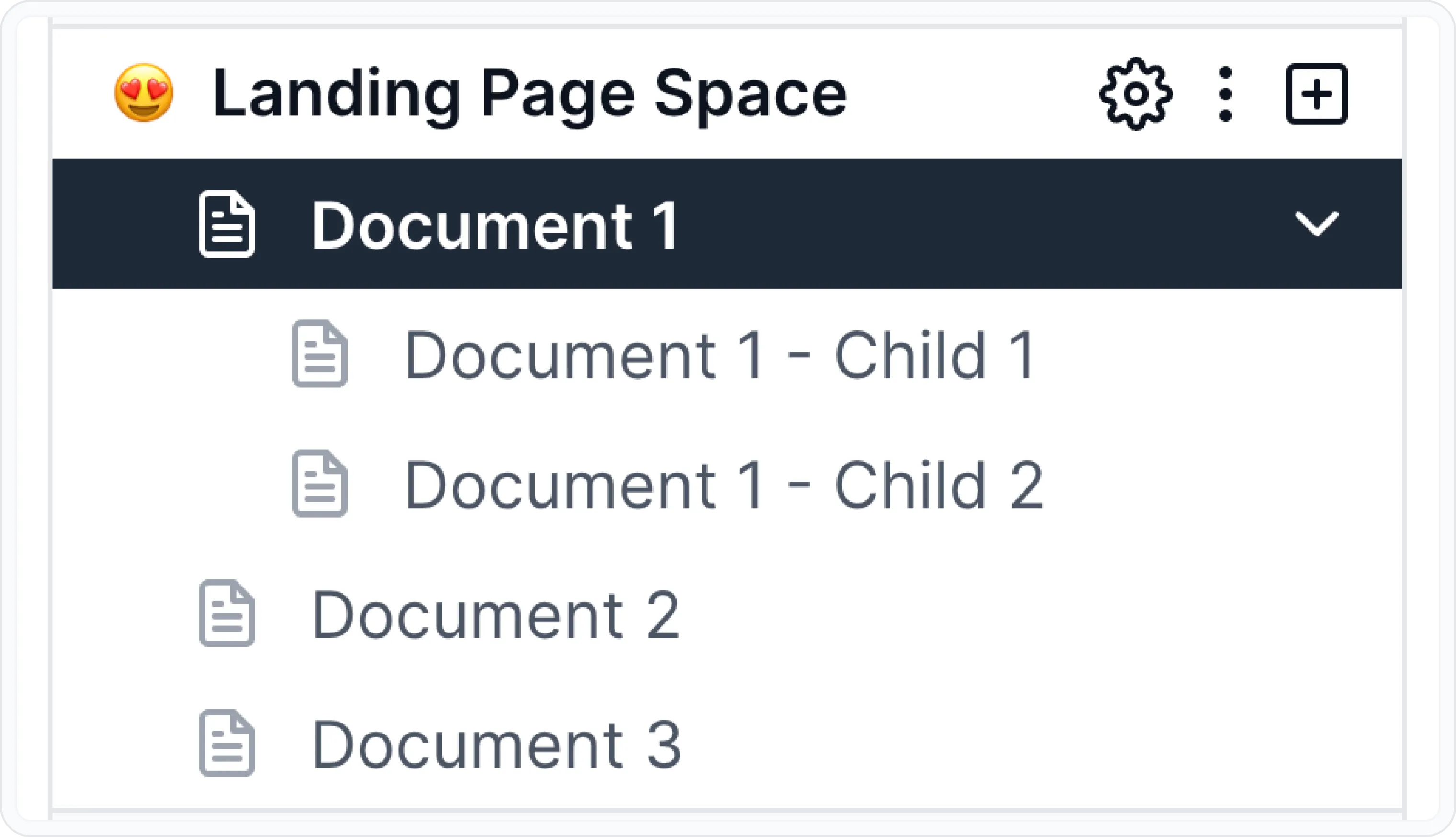
สำหรับโครงสร้างแบบนี้และโลโก้ที่อัปโหลด:
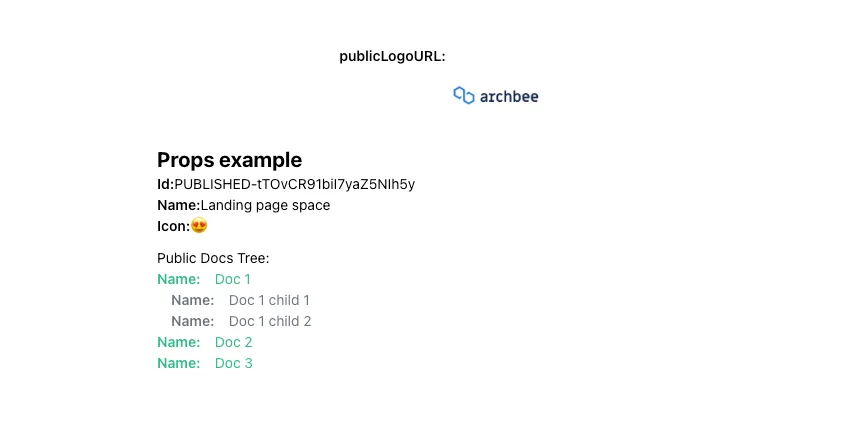
คุณควรจะเห็นสิ่งที่คล้ายกับนี้ พร้อมด้วยโค้ดด้านบน:
ฟังก์ชันกำหนดเองสำหรับการเปิดใช้งานการค้นหา
บนหน้าแลนดิ้งแบบกำหนดเอง คุณสามารถสร้างช่องค้นหาของคุณเองได้ แต่คุณก็ต้องมีวิธีในการแสดงโมดัลการค้นหาด้วย — เรามีให้คุณแล้ว
บน`window` ของเบราว์เซอร์มีเมธอด 2 ตัวที่คุณสามารถเรียกใช้เพื่อควบคุมโมดัลการค้นหา
// shows the search modal
window.showSearch()
// hides the search modal
window.hideSearch()
ฟังก์ชันเหล่านี้ยังสามารถใช้งานได้ในสคริปต์ที่คุณกำหนดเองด้วย