การตั้งค่า Azure
2 นาที
สร้างแอปใน Azure
สร้างแอปใน Azure และตั้งค่า Archbee Callback URL
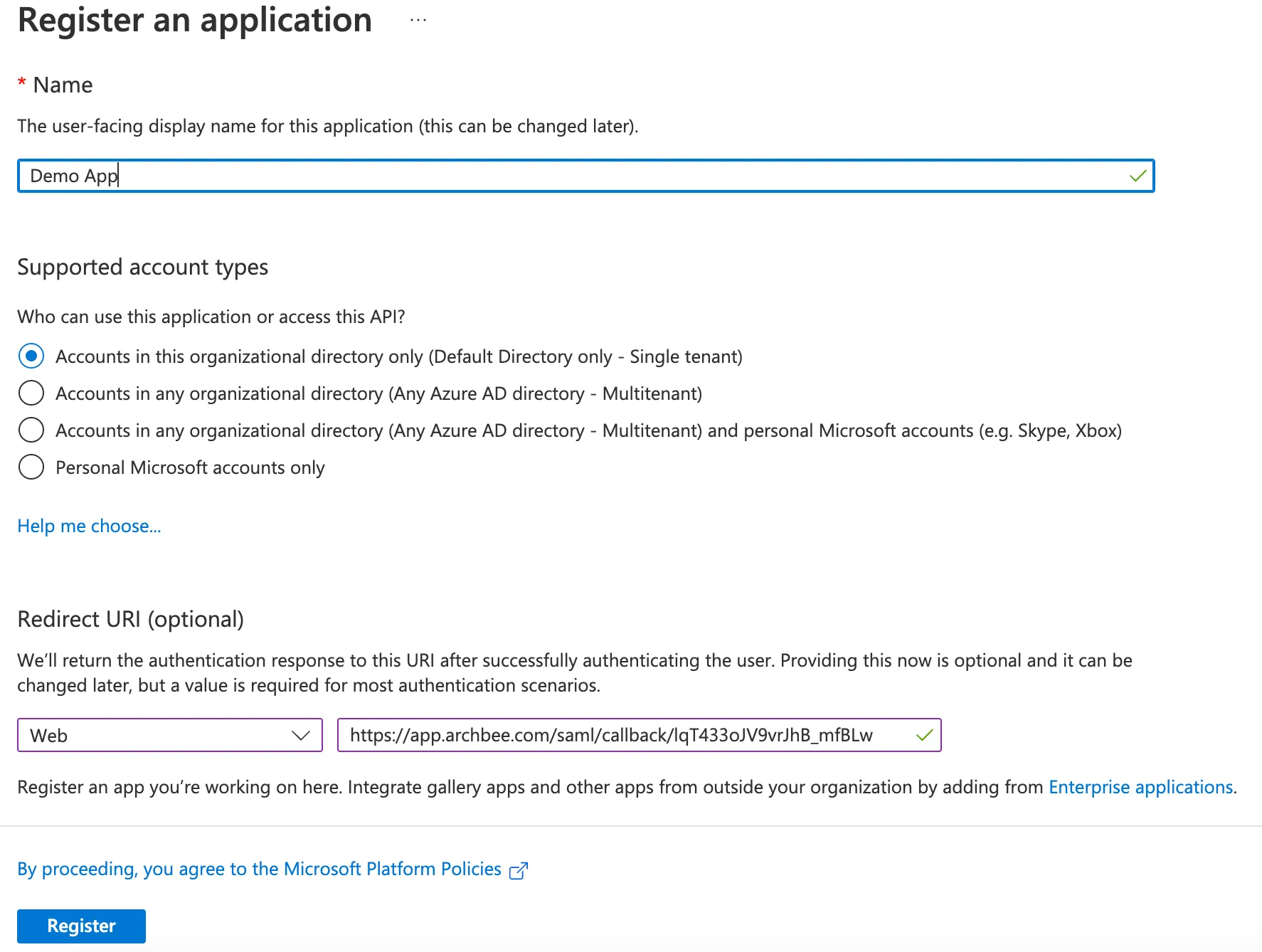
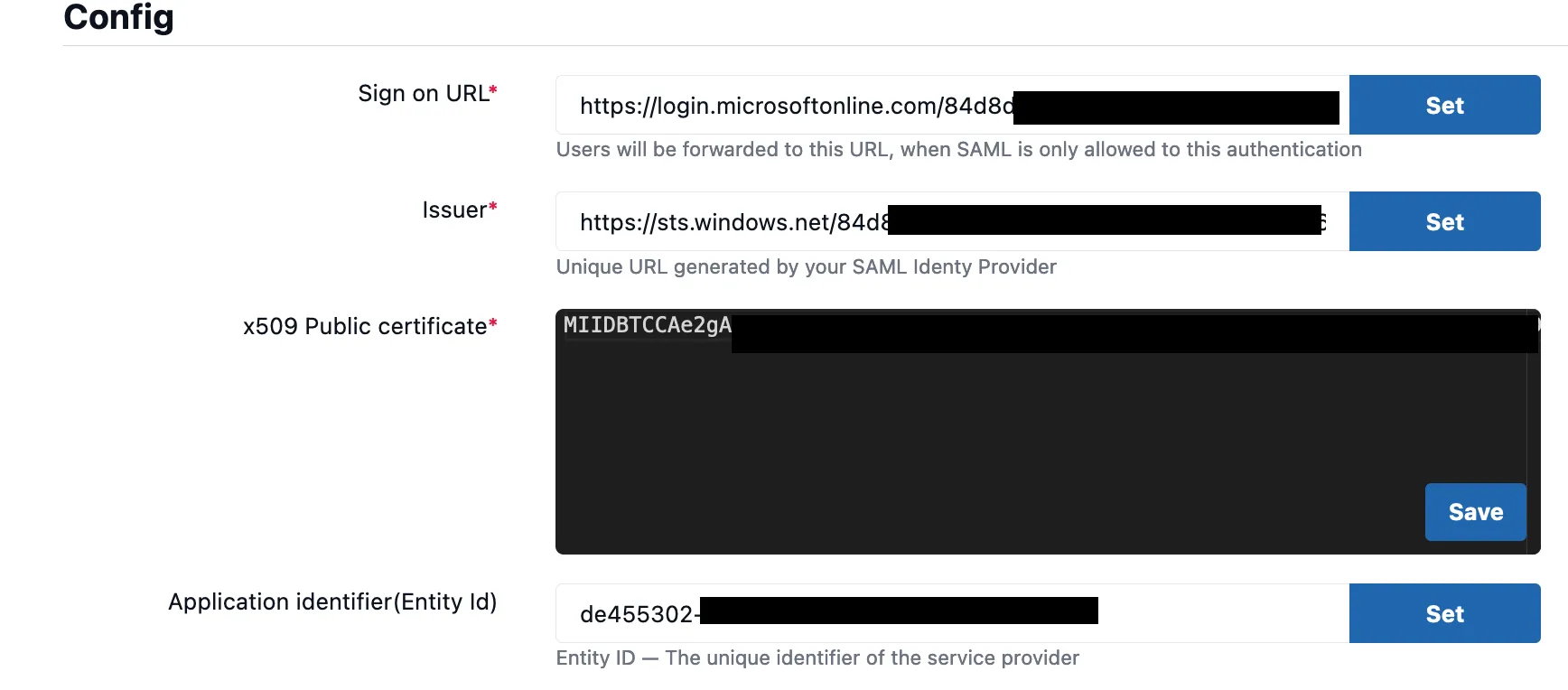
การตั้งค่า Azure -> การตั้งค่า Archbee
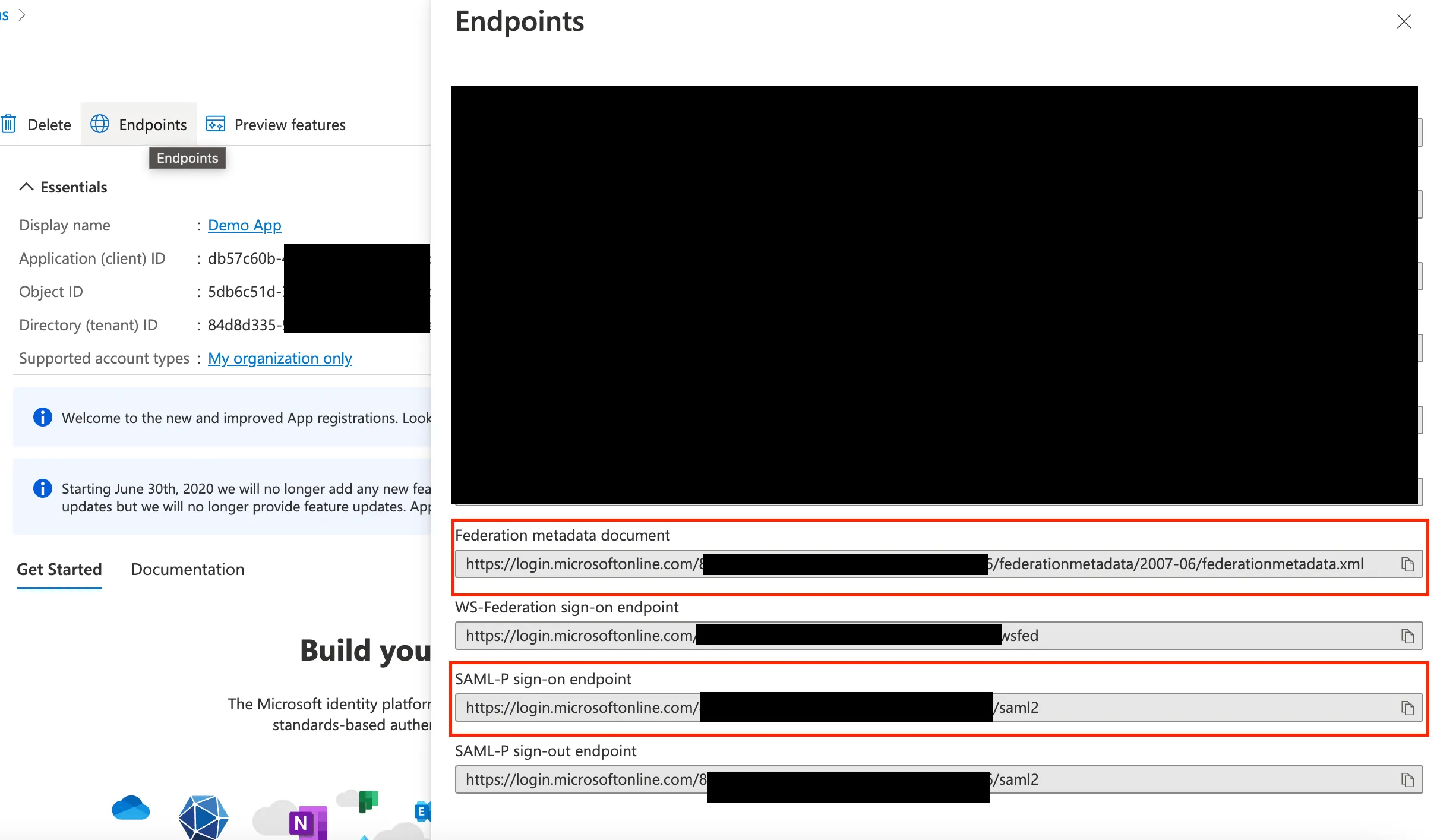
Sign on URL
คัดลอก SAML-P sign-on endpoint ไปที่ Archbee Sign on URL
Issuer Id
เปิดในเบราว์เซอร์: Endpoints >> Federation metadata document URL
คัดลอก entityID ไปที่ issuer ID
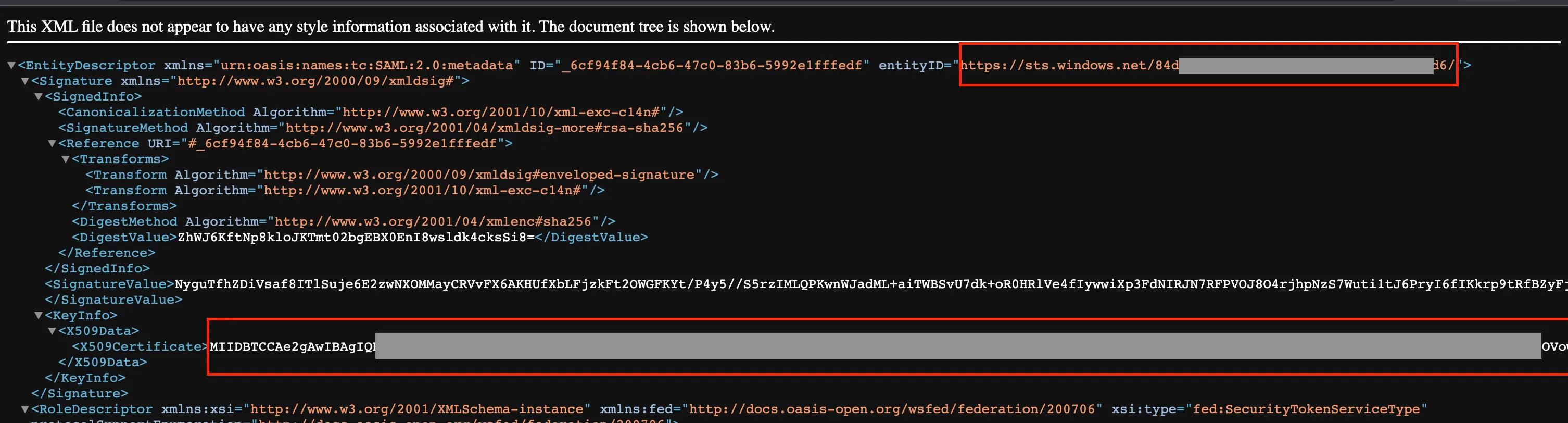
x509 public Certificate
ตรวจสอบภาพจากขั้นตอน 2.2
Application Client ID -> ตั้งค่าเป็น Entity ID ใน Archbee
คัดลอก Application client ID ไปที่ Application Identifier (Entity ID)
Have a question?
Our super-smart AI, knowledgeable support team and an awesome community will get you an answer in a flash.
To ask a question or participate in discussions, you'll need to authenticate first.