โค้ดกำหนดเองและโค้ดสแนิปเพตกับ GitHub
การผสานรวมกับ GitHub ช่วยให้คุณซิงก์ โค้ดกำหนดเอง: customCSS, customJS, footerTemplate, headerTemplate, โดยตรงจากที่เก็บ GitHub ตัวแปรเหล่านี้สามารถเป็นข้อความดิบหรือเชื่อมโยงไปยังไฟล์จากโฟลเดอร์ root ได้
คุณเพียงแค่ต้องกำหนดไฟล์ archbee.json ใน repo ของคุณ และเพิ่มโค้ดกำหนดเองหรือ CSS กำหนดเอง เช่นในตัวอย่างนี้:
{
  "root": "docfolderwithsummary",
  "structure": {
    "summary": "summary.md",
    "assets": ".archbee/assets"
  },
  "customJS":"custom.js",
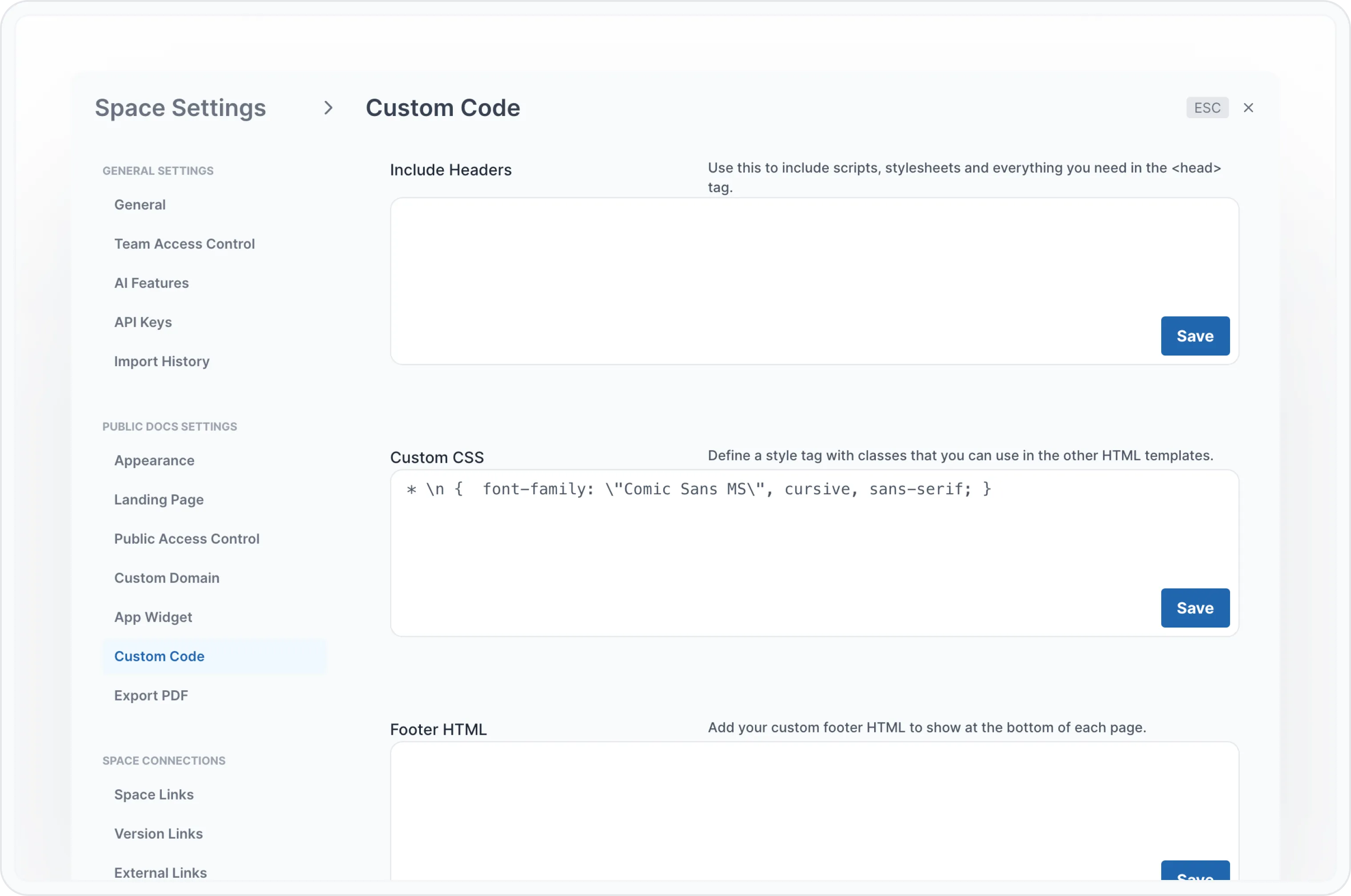
  "customCSS":"* \n {  font-family: \"Comic Sans MS\", cursive, sans-serif; }",
  "footerTemplate": "",
  "headerIncludes": ""
}
หากคุณส่งโค้ดไปยัง GitHub, Archbee จะอ่านการกำหนดค่าจาก archbee.json ไฟล์และอัปเดต การตั้งค่า Space -> โค้ดกำหนดเอง ส่วนด้วยโค้ดใหม่ของคุณ
ตัวอย่างโค้ด
คุณสามารถเพิ่มตัวอย่างโค้ดใน GitHub repo ของคุณได้ เพียงแค่ต้องกำหนดค่าไว้ใน config.md ไฟล์นั้น
ไฟล์ config.md จะต้องอยู่ในโฟลเดอร์เดียวกับไฟล์ summary.md ด้วย
ด้านล่างนี้คือตัวอย่างไฟล์ config.md :
## use a file relative to  docsPath folder
::use{file="swagger-v2.json#L2"}

## relative path to repo structure
::use{file="/app/package.json#L1-L5"}

## relative path to docsPath folder
::use{file="../app/package.json#L1-L5"}

## one single line
::use{file="../app/package.json#L5"}

## specify syntax, from and to parameters explicitly
::use{file="swagger-v2.json" from="L6" to="L10" syntax="javascript"}
ตัวอย่าง
สมมติว่าคุณมีไฟล์ package.json ด้านล่างนี้ (จากตัวอย่างด้านบน):
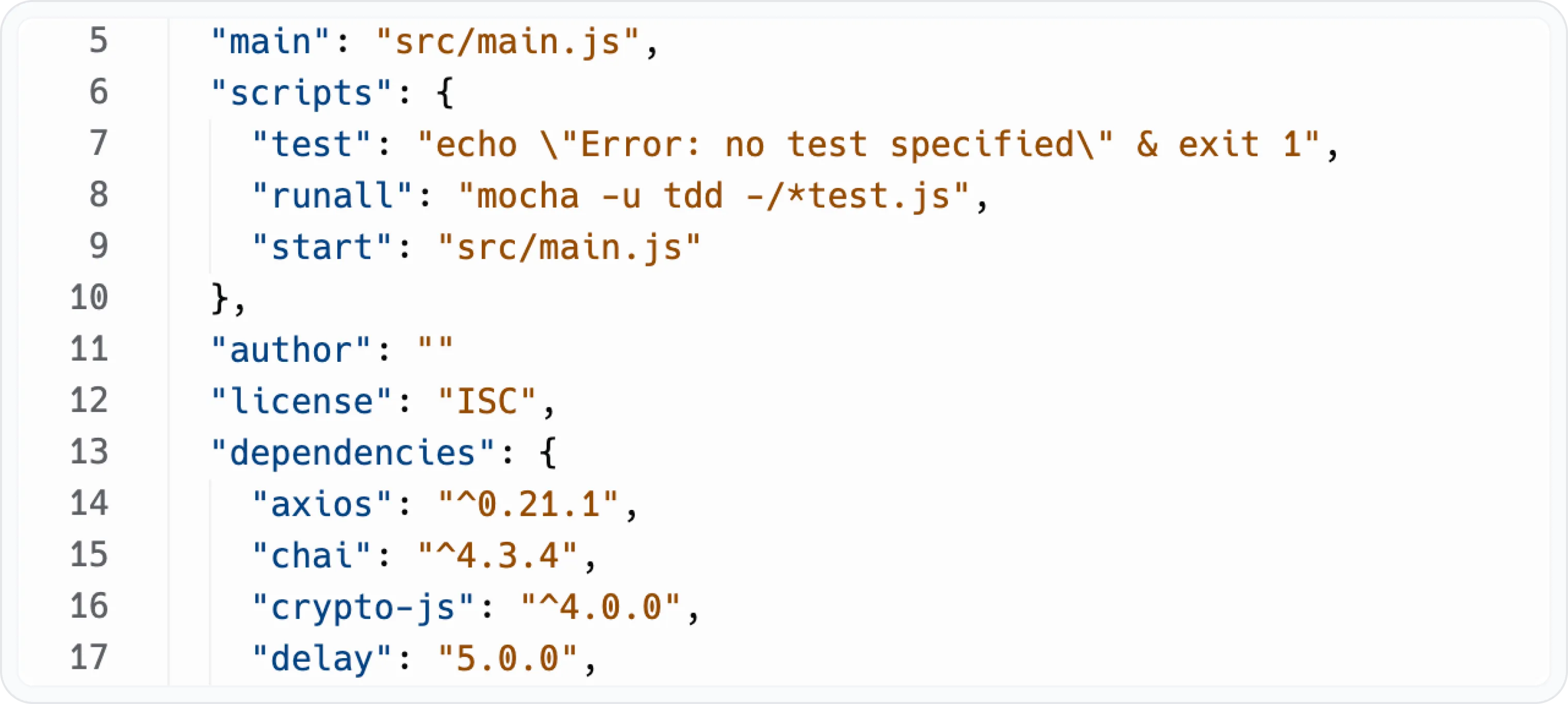
และยังมีไฟล์ config.md ด้วย:
## specify syntax, from and to parameters explicitly
::use{file="swagger-v2.json" from="90" to="127" syntax="javascript"}
คุณจะเห็นสิ่งต่อไปนี้ในเอกสาร Archbee หลังจากการนำเข้า:
      "post": {
        "tags": ["pet"],
        "summary": "Add a new pet to the store",
        "description": "",
        "operationId": "addPet",
        "consumes": ["application/json", "application/xml"],
        "produces": ["application/json", "application/xml"],
        "parameters": [
          {
            "in": "body",
            "name": "body",
            "description": "Pet object that needs to be added to the store",
            "required": true,
            "schema": {
              "$ref": "#/definitions/Pet"
            }
          }
        ],
        "responses": {
          "200": {
            "description": "Success!"
          },
          "405": {
            "description": "Invalid input"
          }
        },
        "security": [
          {
            "api_key": []
          },
          {
            "petstore_auth": ["write:pets", "read:pets"]
          }
        ]
      },